GhostBSD New Release 25.02-R14.3
GhostBSD の新バージョン GhostBSD 25.02-R14.3 p2 がリリースされました。
ghostbsd.org
このバージョンから、Community Images に Gershwin が加わりました。
Gershwin は GNUstep-base の desktop 環境です。
今のところPreview版です。
(Downloadページ)

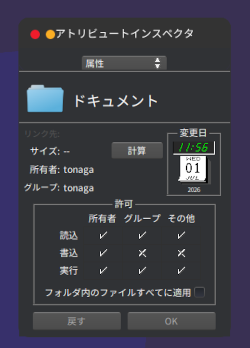
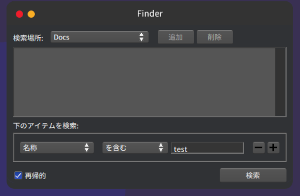
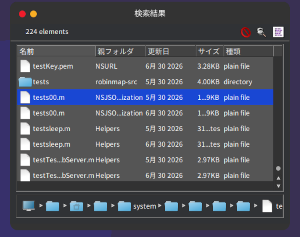
VirtualBox にインストールしてみました。実機では、メインメモリは8GBが必要
です。VirtualBoxでは5GB以上で起動できます。
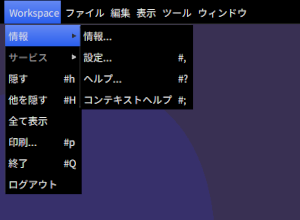
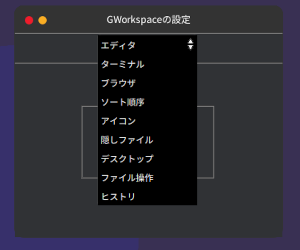
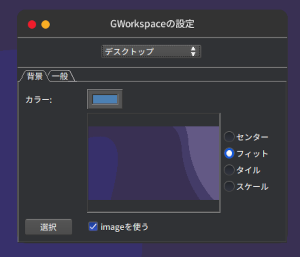
起動直後のデスクトップ画面

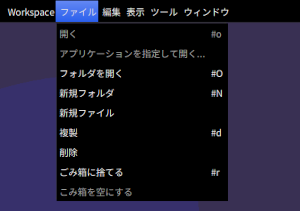
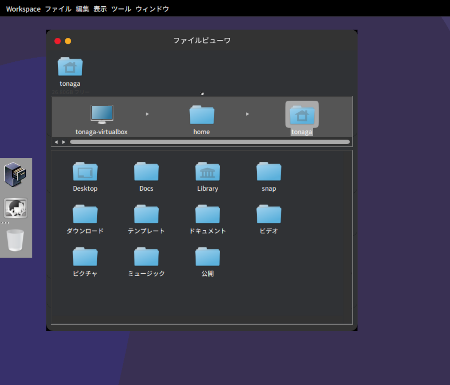
Workspace FileViewer 画面

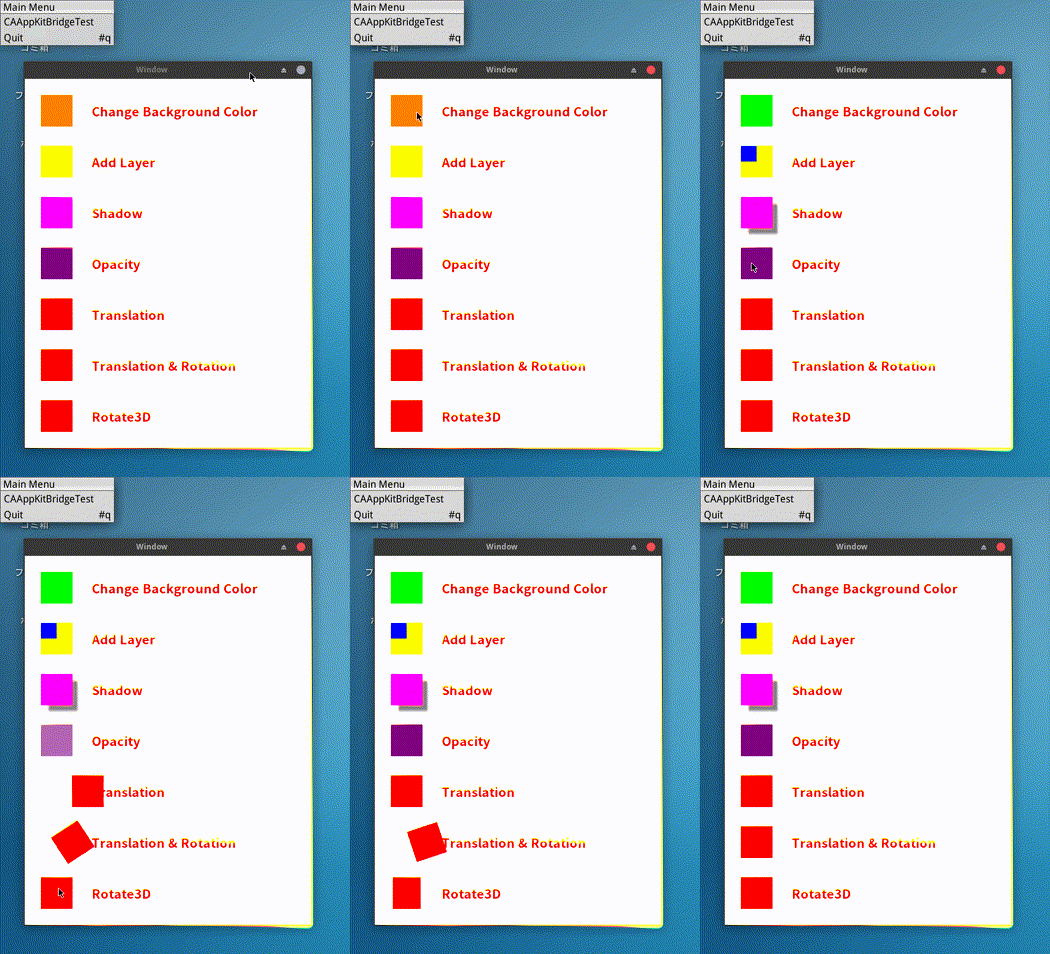
GNUstep Core Animation with CAAppKitBridge
新しい GNUstep Project site が開設されています。
GNUstep 関連のドキュメントが整備され、再編集されています。
new GNUstep Project site
https://gnustep.github.io/
Core Animation Example
参考サイト
Core Animation Examples
https://medium.com/@quangtqag/core-animation-examples-742f9af00188
CoreAnimation
gnustep/libs-quartzcore
https://github.com/gnustep/libs-quartzcore
2024-10-17付 Camlkit v0.2 の記事に記載されている方法で、
CoreFoundation, CoreGraphics, CoreAnimation
をインストールします。
CAAppKitBridge の header files はグローバルにインストールされないので、
/usr/local/GNUstep/Local/Library/Frameworks/CAAppKitBridge.framework/Headers/
にコピーします。
header files
GSCAData.h
NSView+CAMethods.h
CAAppKitBridge.h
#import "GSCAData.h"
#import "NSView+CAMethods.h"
プログラム
Application project
main.m
AppController.h
AppController.m
TestView.h
TestView.m
TextLayer.h
TextLayer.m
GNUmakefile
main.m
#import "AppController.h"
#import <Foundation/Foundation.h>
int
main(int argc, const char ** argv, char ** environ)
{
NSAutoreleasePool * pool = [NSAutoreleasePool new];
id controller = [AppController new];
[[NSApplication sharedApplication] setDelegate: controller];
[NSProcessInfo initializeWithArguments: (char**)argv
count: argc
environment: environ];
[NSApp run];
[pool drain];
return 0;
}AppController
AppController.h
#import <Foundation/Foundation.h>
#import <AppKit/NSWindow.h>
#import <AppKit/NSMenu.h>
#import "TestView.h"
@interface AppController : NSObject
{
NSWindow *window;
TestView *view;
NSMenu *menu;
}
@endAppController.m
#import "AppController.h"
@implementation AppController
- (void) applicationDidFinishLaunching: (id)t
{
menu = [[NSMenu alloc] initWithTitle: @"Main Menu"];
[menu addItemWithTitle: @"CAAppKitBridgeTest"
action: @selector(orderFrontStandardAboutPanel:)
keyEquivalent: @""];
[menu addItemWithTitle: @"Quit"
action: @selector(terminate:)
keyEquivalent: @"q"];
[NSApp setMainMenu: menu];
[menu release];
window = [[NSWindow alloc] initWithContentRect: NSMakeRect(0,0,450,580)
styleMask: NSTitledWindowMask | NSClosableWindowMask
backing: NSBackingStoreBuffered
defer: NO];
NSLog(@"window %p", window);
view = [[TestView alloc] initWithFrame: window.frame];
NSLog(@"view %p", view);
[[window contentView] addSubview: view];
[window cascadeTopLeftFromPoint: NSMakePoint(150, 700)];
[window makeKeyAndOrderFront: nil];
[view prepareOpenGL];
}
-(BOOL)applicationShouldTerminateAfterLastWindowClosed: (id)sender
{
return YES;
}
-(void)dealloc
{
[super dealloc];
}
@endTestView
TestView.h
#import <Foundation/Foundation.h>
#import <GL/gl.h>
#import <QuartzCore/QuartzCore.h>
#import <CAAppKitBridge/CAAppKitBridge.h>
#import "TextLayer.h"
@interface TestView : NSView
{
CARenderer *renderer;
CALayer *rootLayer;
CALayer *subLayer1;
CALayer *subLayer2;
CALayer *subLayer3;
CALayer *subLayer4;
CALayer *subLayer5;
CALayer *subLayer6;
CALayer *subLayer7;
TextLayer *textLayer1;
TextLayer *textLayer2;
TextLayer *textLayer3;
TextLayer *textLayer4;
TextLayer *textLayer5;
TextLayer *textLayer6;
TextLayer *textLayer7;
NSTimer *_timer;
NSOpenGLContext *context;
NSMutableArray *sublayers;
NSMutableArray *textlayers;
}
@endTestView.m
#import "TestView.h"
CGColorRef NSColorToCGColor(NSColor *color)
{
return CGColorCreateGenericRGB(
color.redComponent,
color.greenComponent,
color.blueComponent,
color.alphaComponent);
}
@implementation TestView
- (void) prepareOpenGL
{
NSLog(@"view wantsLayer value: %d", self.wantsLayer);
NSLog(@"Setting view wantsLayer to true");
[self setWantsLayer: YES];
NSLog(@"view wantsLayer value: %d", self.wantsLayer);
CGColorRef whiteColor = CGColorCreateGenericRGB(1, 1, 1, 1);
CGColorRef blueColor = CGColorCreateGenericRGB(0, 0, 1, 1);
/* Create renderer */
renderer = [CARenderer rendererWithNSOpenGLContext: self._gsCreateOpenGLContext
options: nil];
[renderer retain];
[renderer setBounds: NSRectToCGRect(self.frame)];
/* Create root layer and sub layers */
{
rootLayer = self.makeBackingLayer;
[renderer setLayer: rootLayer];
[rootLayer setBounds: NSRectToCGRect(NSMakeRect(0,0,
self.frame.size.width,
self.frame.size.height))];
[rootLayer setBackgroundColor: whiteColor];
CGPoint midPos = CGPointMake(renderer.bounds.size.width/2,
renderer.bounds.size.height/2);
[rootLayer setPosition: midPos];
sublayers = [NSMutableArray new];
for (int i = 0; i < 7; i++) {
CALayer *subLayer = CALayer.layer;
[rootLayer addSublayer: subLayer];
subLayer.bounds = NSRectToCGRect(NSMakeRect(0, 0, 50, 50));
subLayer.position = CGPointMake(50, 530 - i*80);
subLayer.speed = 2;
[subLayer setNeedsDisplay];
[sublayers addObject: subLayer];
}
subLayer1 = sublayers[0];
subLayer1.backgroundColor = NSColorToCGColor(NSColor.orangeColor);
subLayer2 = sublayers[1];
subLayer2.backgroundColor = NSColorToCGColor(NSColor.yellowColor);
subLayer3 = sublayers[2];
subLayer3.backgroundColor = NSColorToCGColor(NSColor.magentaColor);
subLayer4 = sublayers[3];
subLayer4.backgroundColor = NSColorToCGColor(NSColor.purpleColor);
subLayer5 = sublayers[4];
subLayer5.backgroundColor = NSColorToCGColor(NSColor.redColor);
subLayer6 = sublayers[5];
subLayer6.backgroundColor = NSColorToCGColor(NSColor.redColor);
subLayer7 = sublayers[6];
subLayer7.backgroundColor = NSColorToCGColor(NSColor.redColor);
// TextLayer
textlayers = [NSMutableArray new];
for (int i = 0; i < 7; i++) {
TextLayer *textLayer = TextLayer.layer;
[rootLayer addSublayer: textLayer];
[textLayer setBounds: CGRectMake(0, 0, 300, 50)];
[textLayer setPosition: CGPointMake(250, 530 - i*80)];
[textLayer setColor: blueColor];
[textLayer setFontSize: 20];
[textLayer setNeedsDisplay];
[textlayers addObject: textLayer];
}
textLayer1 = textlayers[0];
[textLayer1 setText: @"Change Background Color"];
textLayer2 = textlayers[1];
[textLayer2 setText: @"Add Layer"];
textLayer3 = textlayers[2];
[textLayer3 setText: @"Shadow"];
textLayer4 = textlayers[3];
[textLayer4 setText: @"Opacity"];
textLayer5 = textlayers[4];
[textLayer5 setText: @"Translation"];
textLayer6 = textlayers[5];
[textLayer6 setText: @"Translation & Rotation"];
textLayer7 = textlayers[6];
[textLayer7 setText: @"Rotate3D"];
}
CGColorRelease(whiteColor);
CGColorRelease(blueColor);
context = [self _gsCreateOpenGLContext];
[context makeCurrentContext];
glClear(GL_COLOR_BUFFER_BIT);
glMatrixMode(GL_PROJECTION);
glLoadIdentity();
glOrtho(0, [self frame].size.width, 0, [self frame].size.height, -1500, 1500);
_timer = [NSTimer scheduledTimerWithTimeInterval: 1./60.
target: self
selector: @selector(timerAnimation:)
userInfo: nil
repeats: YES];
}
-(void) timerAnimation: (NSTimer*)t
{
[renderer beginFrameAtTime: CACurrentMediaTime()
timeStamp: NULL];
[self clearBounds: [renderer updateBounds]];
[renderer render];
glFlush();
[context flushBuffer];
}
- (void)clearBounds:(CGRect)bounds
{
glBegin(GL_QUADS);
glColor4f(0,0,0,1);
glVertex2f(bounds.origin.x, bounds.origin.y);
glVertex2f(bounds.origin.x+bounds.size.width, bounds.origin.y);
glVertex2f(bounds.origin.x+bounds.size.width, bounds.origin.y+bounds.size.height);
glVertex2f(bounds.origin.x, bounds.origin.y+bounds.size.height);
glEnd();
}
- (void) mouseDown:(NSEvent *)theEvent
{
NSLog(@"mouse down event");
NSPoint curPoint = [self convertPoint:[theEvent locationInWindow] fromView:nil];
NSLog(@"mouse down event x: %f y: %f", curPoint.x, curPoint.y);
for (int i = 0; i < [sublayers count]; i++)
{
CALayer *sublayer = [sublayers objectAtIndex:i];
CGRect frame = [sublayer bounds];
frame.origin = CGPointMake([sublayer position].x - frame.size.width/2, [sublayer position].y - frame.size.height/2);
if (CGRectContainsPoint(frame, NSPointToCGPoint(curPoint)))
{
NSLog(@"sublayer position x: %f y: %f", sublayer.position.x, sublayer.position.y);
switch (i) {
case 0:
subLayer1.backgroundColor = NSColorToCGColor(NSColor.greenColor);
break;
case 1:
CALayer *alayer = CALayer.layer;
alayer.bounds = NSRectToCGRect(NSMakeRect(0, 0, 25, 25));
alayer.position = CGPointMake(12.5, 37.5);
alayer.backgroundColor = NSColorToCGColor(NSColor.blueColor);
[subLayer2 addSublayer: alayer];
break;
case 2:
subLayer3.shadowOpacity = 0.7;
subLayer3.shadowOffset = CGSizeMake(10, -10);
break;
case 3:
CABasicAnimation *opacity = [CABasicAnimation animationWithKeyPath:@"opacity"];
[opacity setFromValue: [NSNumber numberWithFloat: [subLayer4 opacity]]];
[opacity setToValue: [NSNumber numberWithFloat: 0.0]];
[opacity setDuration: 3];
[opacity setAutoreverses: YES];
[subLayer4 addAnimation: opacity forKey: @"pulse"];
break;
case 4:
CABasicAnimation *animation = [CABasicAnimation animationWithKeyPath:@"position"];
[animation setDuration: 3];
[animation setFromValue: [NSValue valueWithPoint: NSMakePoint(50, 210)]];
[animation setToValue: [NSValue valueWithPoint: NSMakePoint(100, 210)]];
[animation setAutoreverses: YES];
[subLayer5 addAnimation: animation forKey:@"thePositionAnimation"];
break;
case 5:
CABasicAnimation *animation2 = [CABasicAnimation animationWithKeyPath:@"transform"];
[animation2 setFromValue: [NSValue valueWithCATransform3D: [subLayer6 transform]]];
[animation2 setToValue: [NSValue valueWithCATransform3D: CATransform3DTranslate(CATransform3DRotate([subLayer6 transform], M_PI, 0, 0, 1), -80, 0, 0)]];
[animation2 setDuration: 4];
[animation2 setAutoreverses: YES];
[subLayer6 addAnimation: animation2 forKey: @"doABarrelRoll"];
break;
case 6:
CABasicAnimation *animation3 = [CABasicAnimation animationWithKeyPath:@"transform"];
[animation3 setFromValue: [NSValue valueWithCATransform3D: [subLayer7 transform]]];
[animation3 setToValue: [NSValue valueWithCATransform3D: CATransform3DRotate([subLayer7 transform], M_PI, 0, 1, 0)]];
[animation3 setDuration: 4];
[animation3 setAutoreverses: YES];
[subLayer7 addAnimation: animation3 forKey: @"transform"];
break;
default:
break;
}
}
}
}
@endTextLayer
TextLayer.h, TextLayer.m ともに quartzcore/Demo 内にあるファイルをそのまま
使用している。
GNUmakefile
include $(GNUSTEP_MAKEFILES)/common.make APP_NAME = CAAppKitBridgeTest CAAppKitBridgeTest_OBJC_FILES = \ main.m \ AppController.m \ TestView.m \ TextLayer.m ADDITIONAL_LDFLAGS += $(shell pkg-config --libs cairo) -L../Source/CAAppKitBridge.framework ADDITIONAL_OBJCFLAGS += -Wall -g -O0 -std=gnu11 ADDITIONAL_CFLAGS += -Wall -g -O0 -std=gnu11 ADDITIONAL_TOOL_LIBS = -lgnustep-gui -lGL -lGLU -lopal -lQuartzCore -lCAAppKitBridge -include GNUmakefile.preamble include $(GNUSTEP_MAKEFILES)/tool.make include $(GNUSTEP_MAKEFILES)/application.make -include GNUmakefile.postamble
Camlkit & GNUstep OpenGLView (2)
前回に続き OpenGLView の記事です。
gles3 https://github.com/craff/gles3 のプロジェクト内の examples に
rotating cube があります。
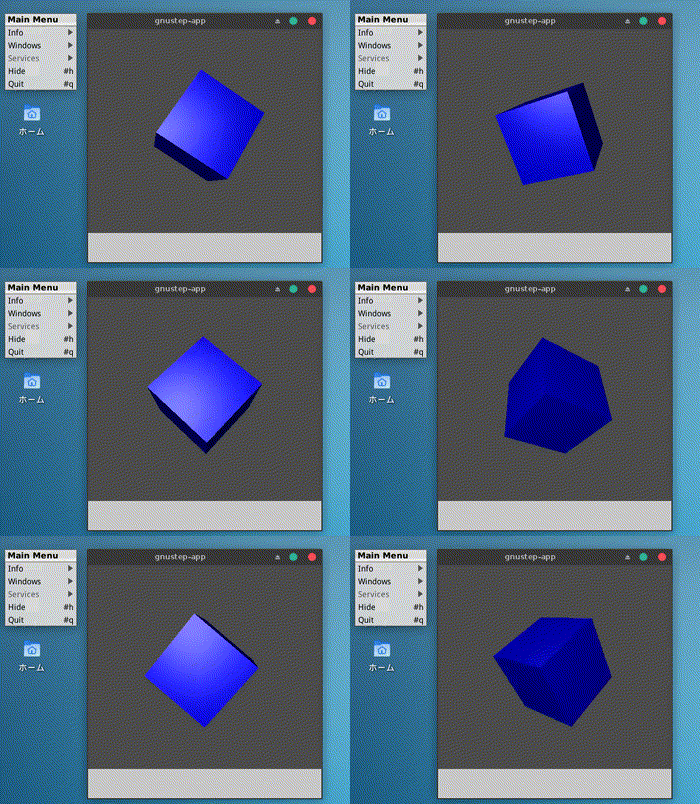
これを NSOpenGLView で描画してみました。
[実行結果]

cube の回転には NSTimer を用いています。
プロジェクト構成
/bin
/Resources
MainMenu.gorm
Info-gnustep.plist
dune
app_delegate.ml
main.ml
main_window.ml
dune-project
(プロジェクト名).opamdune (前回と同じ)
main.ml (前回と同じ)
app_delegate.ml (前回と同じ)
main_window.ml
(* NSOpenGLView Rotating Cube *)
open Foundation
open AppKit
open Runtime
open Egl
open Gles3
open Gles3.Type
open Shaders
open Buffers
open Matrix
let w = 400. and h = 400.
let gwidth = ref 400 and gheight = ref 350
let ratio = ref (float_of_int !gwidth /. float_of_int !gheight)
let make_button ~title ~frame ~target ~action =
let btn = alloc NSButton.self |> NSButton.initWithFrame frame in
btn |> NSControl.setTarget target;
btn |> NSControl.setAction action;
btn |> NSButton.setTitle title;
btn
let make_timer ~interval ~target ~selector ~userInfo ~repeats =
let timer = NSTimer.self |> NSTimerClass.scheduledTimerWithTimeInterval2 interval ~target:target ~selector_:selector ~userInfo:userInfo ~repeats:repeats in
timer
let make_glView ~frame =
let glView =
_new_ NSOpenGLView.self in
glView |> NSView.setFrame frame;
glView
let light_shader =
("light_shader",
[{ name = "vertex_main";
ty = gl_vertex_shader;
src = "
uniform mat4 ModelView,Projection;
uniform vec4 lightDiffuse,lightAmbient,color;
uniform vec3 lightPos;
in vec3 in_position, in_normal;
out vec4 diffuse,ambient,m_position;
out vec3 normal,halfVector;
void main()
{
/* pass the halfVector to the fragment shader */
m_position = ModelView * vec4(in_position,1.0);
halfVector = normalize(lightPos - 2.0 * m_position.xyz);
// only works for orthogonal matrices
mat3 NormalMatrix=mat3(ModelView[0].xyz,ModelView[1].xyz,ModelView[2].xyz);
/* first transform the normal into eye space and
normalize the result */
normal = normalize(NormalMatrix * in_normal);
/* Compute the diffuse, ambient and globalAmbient terms */
diffuse = color * lightDiffuse;
ambient = color * lightAmbient;
gl_Position = Projection * m_position;
}"};
{ name = "fragment_main";
ty = gl_fragment_shader;
src = "
uniform vec3 lightPos;
uniform float specular,shininess;
in vec3 normal,halfVector;
in vec4 diffuse,ambient,m_position;
out vec4 FragColor;
void main()
{
vec3 halfV,lightDir;
float NdotL,NdotHV;
lightDir = normalize(lightPos - m_position.xyz);
/* The ambient term will always be present */
vec4 color = ambient;
/* compute the dot product between normal and ldir */
NdotL = dot(normal,lightDir);
if (NdotL > 0.0) {
color += diffuse * NdotL;
halfV = normalize(halfVector);
NdotHV = max(dot(normal,halfV),0.0);
color += specular * pow(NdotHV, shininess);
}
FragColor=color;
}"};
])
let vertices : Gles3.float_bigarray = Buffers.to_float_bigarray
[|0.;0.;0.;
0.;0.;1.;
0.;1.;1.;
0.;1.;0.;
1.;0.;0.;
1.;0.;1.;
1.;1.;1.;
1.;1.;0.;
0.;0.;0.;
1.;0.;0.;
1.;1.;0.;
0.;1.;0.;
0.;0.;1.;
1.;0.;1.;
1.;1.;1.;
0.;1.;1.;
0.;0.;0.;
1.;0.;0.;
1.;0.;1.;
0.;0.;1.;
0.;1.;0.;
1.;1.;0.;
1.;1.;1.;
0.;1.;1.;
|]
let normals0 = to_float_bigarray
[|
-1.;0.;0.;
-1.;0.;0.;
-1.;0.;0.;
-1.;0.;0.;
1.;0.;0.;
1.;0.;0.;
1.;0.;0.;
1.;0.;0.;
0.;0.;-1.;
0.;0.;-1.;
0.;0.;-1.;
0.;0.;-1.;
0.;0.;1.;
0.;0.;1.;
0.;0.;1.;
0.;0.;1.;
0.;-1.;0.;
0.;-1.;0.;
0.;-1.;0.;
0.;-1.;0.;
0.;1.;0.;
0.;1.;0.;
0.;1.;0.;
0.;1.;0.;
|]
let elements = to_uint_bigarray
[|
0;1;2; 2;3;0;
4;5;6; 6;7;4;
8;9;10; 10;11;8;
12;13;14; 14;15;12;
16;17;18; 18;19;16;
20;21;22; 22;23;20
|]
let center = [|0.;0.;0.|]
let lightPos = [|0.0;1.0;4.0|]
let eyePos = [|0.;0.;3.5|]
let eyeUp = [|1.0;1.0;0.0|]
let t = ref 0.0
let modelView t =
(mul (rotateY (10.*.t/.11.))
(mul (rotateZ (6.*.t/.7.)) (translate (-0.5) (-0.5) (-0.5))))
let projection () =
(mul (perspective 45.0 !ratio 1. 5.) (lookat eyePos center eyeUp))
let increment_sel = selector "increment:"
let update_angle () =
Printf.printf "update\n";
t := !t +. 0.2
let setShader () =
let prg : unit program = compile light_shader in
let prg = Shaders.float_cst_attr prg "in_position" vertices in
let prg = float_cst_attr prg "in_normal" normals0 in
let prg : (float array -> unit) program = float_mat4_uniform prg "ModelView" in
let prg : (float array -> float array -> unit) program = float_mat4_uniform prg "Projection" in
let prg = float4v_cst_uniform prg "color" [|0.0;0.0;1.0;1.0|] in
let prg = float1_cst_uniform prg "specular" 0.5 in
let prg = float1_cst_uniform prg "shininess" 10. in
let prg = float3v_cst_uniform prg "lightPos" lightPos in
let prg = float4v_cst_uniform prg "lightDiffuse" [|0.7;0.7;0.7;1.0|] in
let prg = float4v_cst_uniform prg "lightAmbient" [|0.2;0.2;0.2;1.0|] in
prg
let draw ~prg =
enable gl_depth_test;
disable gl_cull_face;
cull_face ~face: gl_back;
clear_color { r = 0.3; g = 0.3; b = 0.3; a = 1.0 };
clear [ gl_color_buffer; gl_depth_buffer];
Shaders.draw_uint_elements prg gl_triangles elements (projection ()) (modelView !t)
;;
let create app =
let win =
alloc NSWindow.self
|> NSWindow.initWithContentRect
(CGRect.make ~x: 0. ~y: 0. ~width: w ~height: h)
~styleMask: Bitmask.(
_NSWindowStyleMaskTitled +
_NSWindowStyleMaskClosable +
_NSWindowStyleMaskResizable)
~backing: _NSBackingStoreBuffered
~defer: false
and glView =
make_glView
~frame: (CGRect.make ~x: 0. ~y: 50. ~width: w ~height: (h -. 50.))
in
win
|> NSWindow.cascadeTopLeftFromPoint (CGPoint.init ~x: 200. ~y: 800.)
|> ignore;
win |> NSWindow.makeKeyAndOrderFront nil;
win |> NSWindow.contentView |> NSView.addSubview glView;
let glcontext = glView |> NSOpenGLView.openGLContext
in
glcontext|> NSOpenGLContext.makeCurrentContext;
let prg = setShader () in
let increment_count_method _self _cmd _sender =
print_endline "incremet method";
update_angle ();
Printf.printf "%f\n" !t;
draw ~prg: prg;
glcontext |> NSOpenGLContext.flushBuffer;
in
let controller_class =
Class.define "MyController"
~methods:
[ Method.define increment_count_method
~cmd: increment_sel ~args: Objc_t.[id] ~return: Objc_t.void
]
in
let controller = _new_ controller_class
in
let _timer =
make_timer
~interval:0.2
~target: controller
~selector: increment_sel
~userInfo: nil
~repeats: true
in
draw ~prg: prg;
glcontext |> NSOpenGLContext.flushBuffer;
win
;;Resources (以前の記事参照)
Camlkit & GNUstep OpenGLView
OCaml の OpenGL用のライブラリ gles3 を利用して、GNUstep の NSOpenGLView に triangle を描画してみました。shader を使って描画します。
gles3 https://github.com/craff/gles3
[実行結果]

プロジェクト構成
/bin
/Resources
MainMenu.gorm
Info-gnustep.plist
dune
app_delegate.ml
main.ml
main_window.ml
dune-project
(プロジェクト名).opam
dune
(executable
(public_name gnustepAppTemplate2)
(name main)
(flags -ccopt -L/usr/local/GNUstep/System/Library/Libraries -cclib -lgnustep-base -cclib -lgnustep-gui)
(libraries
gles3
camlkitGS.Foundation
camlkitGS.AppKit
camlkitGS.camlkit))
(subdir GSApp.app
(rule
(deps ../main.exe)
(targets GSApp)
(action (copy ../main.exe GSApp))))
(subdir GSApp.app/Resources
(rule
(deps ../../Resources/Info-gnustep.plist)
(targets Info-gnustep.plist)
(action (progn
(copy ../../Resources/Info-gnustep.plist Info-gnustep.plist))))
)
(subdir GSApp.app/Resources/MainMenu.gorm
(rule
(deps ../../../Resources/MainMenu.gorm/objects.gorm ../../../Resources/MainMenu.gorm/data.classes ../../../Resources/MainMenu.gorm/data.info)
(targets objects.gorm data.classes data.info)
(action (progn
(copy ../../../Resources/MainMenu.gorm/objects.gorm objects.gorm)
(copy ../../../Resources/MainMenu.gorm/data.classes data.classes)
(copy ../../../Resources/MainMenu.gorm/data.info data.info))))
)
main.ml
open Foundation
open AppKit
open Camlkit
open Runtime
module Delegate = Appkit_AppDelegate.Create (App_delegate)
let main () =
let _ = new_object "NSAutoreleasePool"
and app = NSApplication.self |> NSApplicationClass.sharedApplication
and argc = Array.length Sys.argv
and argv =
Sys.argv
|> Array.to_list
|> Objc.(CArray.of_list string)
|> Objc.CArray.start
in
app |> NSApplication.setDelegate (_new_ Delegate._class_);
app |> NSApplication.activateIgnoringOtherApps true;
_NSApplicationMain argc argv |> exit
let () = main ()
app_delegate.ml
open Foundation open Runtime open AppKit let app_name = "gnustep-app" let class_name = "MyAppDelegate" let on_before_start _ = () let on_started notification = let app = NSNotification.object_ notification in let win = Main_window.create app in win |> NSWindow.setTitle (new_string app_name); ;; let on_before_terminate _ = () let terminate_on_windows_closed _ = true
main_window.ml
(* NSOpenGLView Triangle *)
open Foundation
open AppKit
open Runtime
open Egl
open Gles3
open Gles3.Type
open Shaders
open Buffers
let w = 400. and h = 400.
let gwidth = ref 400 and gheight = ref 350
let make_glView ~frame =
let glView =
_new_ NSOpenGLView.self in
glView |> NSView.setFrame frame;
glView
let light_shader =
("light_shader",
[{ name = "vertex_main";
ty = gl_vertex_shader;
src = "
in vec3 in_position;
void main()
{
gl_Position = vec4(in_position, 1.0);
}"};
{ name = "fragment_main";
ty = gl_fragment_shader;
src = "
out vec4 FragColor;
void main()
{
FragColor = vec4(0.0, 0.0, 1.0, 1.0);
}"};
])
let vertices : Gles3.float_bigarray = Buffers.to_float_bigarray
[| -0.5;-0.5;0.0; 0.0; 0.5;0.0; 0.5;-0.5;0.0; |]
let create app =
let win =
alloc NSWindow.self
|> NSWindow.initWithContentRect
(CGRect.make ~x: 0. ~y: 0. ~width: w ~height: h)
~styleMask: Bitmask.(
_NSWindowStyleMaskTitled +
_NSWindowStyleMaskClosable +
_NSWindowStyleMaskResizable)
~backing: _NSBackingStoreBuffered
~defer: false
and glView =
make_glView
~frame: (CGRect.make ~x: 0. ~y: 50. ~width: w ~height: (h -. 50.))
in
win
|> NSWindow.cascadeTopLeftFromPoint (CGPoint.init ~x: 200. ~y: 800.)
|> ignore;
win |> NSWindow.makeKeyAndOrderFront nil;
win |> NSWindow.contentView |> NSView.addSubview glView;
let glcontext = glView |> NSOpenGLView.openGLContext
in
glcontext|> NSOpenGLContext.makeCurrentContext;
clear_color { r = 0.7; g = 0.7; b = 0.7; a = 1.0 };
clear [ gl_color_buffer];
let prg : unit program = compile light_shader in
let prg = Shaders.float_cst_attr prg "in_position" vertices in
Shaders.draw_arrays prg gl_triangles 3;
glcontext |> NSOpenGLContext.flushBuffer;
win
;;Resources については、以前の記事参照。
Camlkit & GNUstep ImageView
camlkitとGNUstepを使用して、imageを表示してみました。
NSImageView を使用している。
[実行結果]

画像はGNUstep.tiff
button, label(TextField), image, image付きbuttonを表示しています。
プロジェクト構成
(dune init project で作成。前回同様、build, exec の後lib, test フォルダを削除。)
/bin dune main.ml GNUstep.tiff dune-project (プロジェクト名).opam
dune
(executable
(public_name camlkitGSTestImageView)
(name main)
(flags -ccopt -L/usr/local/GNUstep/System/Library/Libraries -cclib -lgnustep-base -cclib -lgnustep-gui)
(libraries
camlkitGS.Foundation
camlkitGS.AppKit))
main.ml
open Foundation
open Runtime
open AppKit
let win_width = 400.
let win_height = 300.
let app_window () =
let win =
alloc NSWindow.self
|> NSWindow.initWithContentRect
(CGRect.make ~x: 0. ~y: 0. ~width: win_width ~height: win_height)
~styleMask: Bitmask.(
_NSWindowStyleMaskTitled +
_NSWindowStyleMaskClosable +
_NSWindowStyleMaskResizable)
~backing: _NSBackingStoreBuffered
~defer: false
in
win
|> NSWindow.cascadeTopLeftFromPoint (CGPoint.init ~x:20. ~y:20.)
|> ignore;
win |> NSWindow.setTitle (new_string "Hello Caml");
win |> NSWindow.makeKeyAndOrderFront nil;
win
let make_button ~title ~frame ~target ~action =
let btn = alloc NSButton.self |> NSButton.initWithFrame frame in
btn |> NSControl.setTarget target;
btn |> NSControl.setAction action;
btn |> NSButton.setTitle title;
btn
let make_button2 ~frame ~target ~action =
let btn = alloc NSButton.self |> NSButton.initWithFrame frame
and image =
alloc NSImage.self |> NSImage.initWithContentsOfFile (new_string "GNUstep.tiff") in
btn |> NSControl.setTarget target;
btn |> NSControl.setAction action;
btn |> NSButton.setImage image;
btn
let make_label ~frame ~text =
let label = _new_ NSTextField.self in
label |> NSView.setFrame frame;
label |> NSControl.setStringValue text;
label |> NSTextField.setBezeled false;
label |> NSTextField.setDrawsBackground false;
label |> NSTextField.setEditable false;
label
let create_image ~file =
let image =
alloc NSImage.self |> NSImage.initWithContentsOfFile file in
image
let make_imageView ~frame ~image =
let imageView =
_new_ NSImageView.self in
imageView |> NSView.setFrame frame;
imageView |> NSImageView.setImage image;
imageView
let main () =
let _ = new_object "NSAutoreleasePool"
and app = NSApplication.self |> NSApplicationClass.sharedApplication
and win = app_window ()
in
let btn =
make_button
~title:(new_string "Quit")
~target:app
~action:(selector "terminate:")
~frame:(CGRect.make
~x:10. ~y:(win_height -. 40.)
~width:100. ~height:30.)
and label =
make_label
~frame:(CGRect.make
~x:10. ~y:(win_height -. 100.)
~width:100. ~height:30.)
~text: (new_string "Hello")
and btn2 =
make_button2
~target:app
~action:(selector "terminate:")
~frame:(CGRect.make
~x:10. ~y:(win_height -. 200.)
~width:100. ~height:30.)
and image =
create_image ~file: (new_string "GNUstep.tiff")
in
let imageView =
make_imageView
~frame: (CGRect.make
~x:200. ~y:(win_height -. 200.)
~width:50. ~height:50.)
~image: image in
win |> NSWindow.contentView |> NSView.addSubview btn;
win |> NSWindow.contentView |> NSView.addSubview label;
win |> NSWindow.contentView |> NSView.addSubview btn2;
win |> NSWindow.contentView |> NSView.addSubview imageView;
app |> NSApplication.activateIgnoringOtherApps true;
NSApplication.run app
let () = main ()
Camlkit v0.2 & GNUstep (2)
前回報告した camlkitGS ライブラリを用いて、GNUstepのAppKit と CoreGraphics プログラムが実行できます。
[実行結果]
AppKit

CoreGraphics

AppKit プログラム
(dune init project で作成、その後libとtestを削除している。)
/bin dune main.ml
dune
(executable
(public_name camlkitTest1)
(name main)
(flags -ccopt -L/usr/local/GNUstep/System/Library/Libraries -cclib -lgnustep-base -cclib -lgnustep-gui)
(libraries
camlkitGS.Foundation
camlkitGS.AppKit))main.ml
open Foundation
open Runtime
open AppKit
let win_width = 400.
let win_height = 300.
let app_window () =
let win =
alloc NSWindow.self
|> NSWindow.initWithContentRect
(CGRect.make ~x: 0. ~y: 0. ~width: win_width ~height: win_height)
~styleMask: Bitmask.(
_NSWindowStyleMaskTitled +
_NSWindowStyleMaskClosable +
_NSWindowStyleMaskResizable)
~backing: _NSBackingStoreBuffered
~defer: false
in
win
|> NSWindow.cascadeTopLeftFromPoint (CGPoint.init ~x:20. ~y:20.)
|> ignore;
win |> NSWindow.setTitle (new_string "Hello Caml");
win |> NSWindow.makeKeyAndOrderFront nil;
win
let make_button ~title ~frame ~target ~action =
let btn = alloc NSButton.self |> NSButton.initWithFrame frame in
btn |> NSControl.setTarget target;
btn |> NSControl.setAction action;
btn |> NSButton.setTitle title;
btn
let main () =
let _ = new_object "NSAutoreleasePool"
and app = NSApplication.self |> NSApplicationClass.sharedApplication
and win = app_window ()
in
let btn =
make_button
~title:(new_string "Quit")
~target:app
~action:(selector "terminate:")
~frame:(CGRect.make
~x:10. ~y:(win_height -. 40.)
~width:100. ~height:30.)
in
win |> NSWindow.contentView |> NSView.addSubview btn;
(*
assert (app |> NSApplication.setActivationPolicy
_NSApplicationActivationPolicyRegular);
*)
app |> NSApplication.activateIgnoringOtherApps true;
NSApplication.run app
let () = main ()
CoreGraphics プログラム
/bin dune main.ml ovals.ml roundRects.ml
これは、gnustep/libs-opalのTestsにあるpdf.mサンプルです。
dune
(executable
(public_name camlkitTest2)
(name main)
(flags -ccopt -L/usr/local/GNUstep/Local/Library/Libraries -cclib -lgnustep-corebase -cclib -lopal)
;(flags -ccopt -L/usr/local/GNUstep/Local/Library/Libraries -cclib -lopal)
(libraries
camlkit-base.runtime
camlkitGS.CoreFoundation
camlkitGS.CoreGraphics))main.ml
open CoreFoundation
open CoreGraphics
open Runtime
open Objc
let _MyCGPDFContextCreateWithURL = Foreign.foreign "CGPDFContextCreateWithURL" ((ptr void) @-> (ptr void) @-> (ptr void) @-> returning (ptr CGContext.t))
let _MyCGPDFContextClose = Foreign.foreign "CGPDFContextClose" ((ptr CGContext.t) @-> returning void)
let _MyCGContextBeginTransparencyLayer = Foreign.foreign "CGContextBeginTransparencyLayer" ((ptr CGContext.t) @-> (ptr void) @-> returning void)
let pi = 3.141592
let _ = print_endline "Test CoreGraphics"
let str = "test.pdf"
let rec drawRect ctx rect =
let origin = CGRect.origin rect
and size = CGRect.size rect
in
let x = CGPoint.x origin
and y = CGPoint.y origin
and width = CGSize.width size
and height = CGSize.height size
in
_CGContextTranslateCTM ctx x y;
_CGContextSetRGBFillColor ctx 0. 0. 0. 1.;
_CGContextFillRect ctx (CGRect.make ~x:0. ~y:(height/.2.) ~width:width ~height:(height/.2.));
_CGContextSetAlpha ctx 0.5;
_MyCGContextBeginTransparencyLayer ctx null;
let a = 0.9 *. width /. 4.
and b = 0.3 *. height /.2.
and count = 5
in
_CGContextSetRGBFillColor ctx 0. 0. 1. 1.;
_CGContextSetRGBStrokeColor ctx 0. 0. 0. 1.;
_CGContextSetLineWidth ctx 3.;
_CGContextSaveGState ctx;
_CGContextTranslateCTM ctx (width/.4.) (height/.2.);
let r = CGRect.make ~x:(-.a) ~y:(-.b) ~width:(2.*.a) ~height:(2.*.b)
in
for i = 1 to 5 do
Ovals.paintOval ctx r;
Ovals.frameOval ctx r;
_CGContextRotateCTM ctx (pi /. (Float.of_int count));
done;
_CGContextRestoreGState ctx;
_CGContextEndTransparencyLayer ctx;
_CGContextSetRGBFillColor ctx 1. 0. 0. 0.5;
_CGContextSetRGBStrokeColor ctx 0. 0. 0. 1.;
_CGContextSetLineWidth ctx 3.;
_CGContextSaveGState ctx;
_CGContextTranslateCTM ctx (width/.4. +. width/.2.) (height/.2.);
for i = 1 to 5 do
RoundRects.fillRoundedRect ctx r 20. 20.;
RoundRects.strokeRoundedRect ctx r 20. 20.;
_CGContextRotateCTM ctx (pi /. (Float.of_int count));
done;
;;
let () =
let nsurl =
alloc NSURL.self |> NSURL.initFileURLWithPath (new_string str)
in
Printf.printf "nsurl\n";
let ctx =
_MyCGPDFContextCreateWithURL
nsurl
null
null
and rect = (CGRect.make ~x:0. ~y:(2.25*.72.) ~width:(8.5*.72.) ~height:(5.5*.72.))
in
Printf.printf "context\n";
drawRect ctx rect;
_MyCGPDFContextClose ctx;ovals.ml
open CoreFoundation open CoreGraphics open Runtime open Objc let pi = 3.141592 let addOvalToPath ctx rect = _CGContextSaveGState ctx; let origin = CGRect.origin rect and size = CGRect.size rect in let x = CGPoint.x origin and y = CGPoint.y origin and width = CGSize.width size and height = CGSize.height size in Printf.printf "addOvalToPath width %f\n" width; Printf.printf "addOvalToPath height %f\n" height; let width2 = width/.2. and height2 = height/.2. in let matrix = _CGAffineTransformMake width2 0. 0. height2 (x+.width2) (y+.height2) in Printf.printf "addOvalToPath\n"; _CGContextConcatCTM ctx matrix; _CGContextBeginPath ctx; _CGContextAddArc ctx 0. 0. 1. 0. (2.*.pi) 0; _CGContextRestoreGState ctx; ;; let paintOval ctx rect = addOvalToPath ctx rect; _CGContextStrokePath ctx; ;; let frameOval ctx rect = addOvalToPath ctx rect; _CGContextFillPath ctx; ;;
roundRects.ml
open CoreFoundation open CoreGraphics open Runtime open Objc let pi = 3.141592 let addOvalToPath ctx rect = _CGContextSaveGState ctx; let origin = CGRect.origin rect and size = CGRect.size rect in let x = CGPoint.x origin and y = CGPoint.y origin and width = CGSize.width size and height = CGSize.height size in Printf.printf "addOvalToPath width %f\n" width; Printf.printf "addOvalToPath height %f\n" height; let width2 = width/.2. and height2 = height/.2. in let matrix = _CGAffineTransformMake width2 0. 0. height2 (x+.width2) (y+.height2) in Printf.printf "addOvalToPath\n"; _CGContextConcatCTM ctx matrix; _CGContextBeginPath ctx; _CGContextAddArc ctx 0. 0. 1. 0. (2.*.pi) 0; _CGContextRestoreGState ctx; ;; let paintOval ctx rect = addOvalToPath ctx rect; _CGContextStrokePath ctx; ;; let frameOval ctx rect = addOvalToPath ctx rect; _CGContextFillPath ctx; ;; let addRoundedRectToPath ctx rect ovalWidth ovalHeight = if ovalWidth == 0. || ovalHeight == 0. then _CGContextAddRect ctx rect else _CGContextSaveGState ctx; _CGContextTranslateCTM ctx (_CGRectGetMinX rect) (_CGRectGetMinY rect); _CGContextScaleCTM ctx ovalWidth ovalHeight; let fw = (_CGRectGetWidth rect) /. ovalWidth and fh = (_CGRectGetHeight rect) /. ovalHeight in _CGContextMoveToPoint ctx fw (fh/.2.); _CGContextAddArcToPoint ctx fw fh (fw/.2.) fh 1.; _CGContextAddArcToPoint ctx 0. fh 0. (fh/.2.) 1.; _CGContextAddArcToPoint ctx 0. 0. (fw/.2.) 0. 1.; _CGContextAddArcToPoint ctx fw 0. fw (fh/.2.) 1.; _CGContextClosePath ctx; _CGContextRestoreGState ctx; ;; let fillRoundedRect ctx rect ovalWidth ovalHeight = _CGContextBeginPath ctx; addRoundedRectToPath ctx rect ovalWidth ovalHeight; _CGContextFillPath ctx; ;; let strokeRoundedRect ctx rect ovalWidth ovalHeight = _CGContextBeginPath ctx; addRoundedRectToPath ctx rect ovalWidth ovalHeight; _CGContextStrokePath ctx; ;;
Camlkit v0.2 & GNUstep
GhostBSD の新しい バージョン、GhostBSD-24.07.3 がリリースされました。
これまで利用していた devtools (os-generic-userland-devtools) が変更になって
います。devtools をインストールするには、以下のようにします。
sudo pkg install -g 'GhostBSD*-dev'
Camlkit のバージョンが v0.2 にバージョンアップされました。
Foundation, AppKit とともに CoreFoundation, CoreGrahpics も、インストールした
ライブラリから利用できるようになっています。
しかしながら、このライブラリを GNUstep で利用する場合、実行時にエラーが
出ます。
これは、このライブラリに GNUstep でインプリメントされていない文が含まれているためです。これらはFoundation_globals.ml, AppKit_globals.ml 等で定義されています。
v0.1 ではこれらのファイルを修正して利用するこができましたが、v0.2 ではこれらのファイル(モジュール)がライブラリ内で読み込まれるため、修正することができません。
このため、GNUstep で利用するには、これらを修正したローカルライブラリを作成し、opam でインストールして利用します。
GNUstepのインストール
libobjc2, Foundation, AppKitライブラリ、ビルドツール、gnustepアプリケーションは、前回同様、GhostBSDのSoftware Stationからインストールします。
ビルドツールを利用するため、環境設定を行います。
Homeフォルダの .profile に以下の行を追加します。
. /usr/local/GNUstep/System/Makefiles/GNUstep.sh
CoreFoundation, CoreGraphics, CoreAnimationのライブラリは、ソースファイルからビルド、インストールします。
インストール先:/usr/local/GNUstep/Local/Library/
CoreFoundation
gnustep/libs-corebase
ビルド、インストールは以下のようにします。
./configure
gmake
sudo gmake install
このライブラリはlibdispatchライブラリに依存しているので、これを先に
インストールします。
しかしここで問題が起こります。
問題点
FreeBSD系のシステムでは、libdispatchとgnustepはconflictします。
libdispatchをインストールするとgnustepが削除されます。また逆も同様です。
そこで一旦libdispatchをインストールし、Homeフォルダにコピーしておきます。
コピーするファイル
/usr/local/include/dispatch, /os フォルダ
/usr/local/lib/libdispatch.so ファイル
その後、gnustep をインストールし、コピーしてあったdispatch 関連ファイルを戻します。
これで CoreFoundation のビルドができます。
CoreGraphics
gnustep/libs-opal
gmake
sudo -E gmake install
CoreAnimation
gmake
sudo -E gmake install
Camlkit ローカルライブラリの作成
1dune project を作成
dune init project camlkitGS
(camlkitGSがライブラリ名になる)
作成時はcamlkitGS.opam は空なので、dune buildで再生成する。
2lib, test フォルダを削除
lib, test フォルダは使用しないので、削除する。
3 必要ライブラリをコピー
camlkitのソースファイルから必要なライブラリをコピーする。
camlkit ソースファイルは、https://github.com/dboris/camlkit からダウンロード。
runtime, Foundation, Appkit, Appkit_extra, camlkit, CoreFoundation,
CoreGraphics, CoreAnimationをコピー。
4各ライブラリの修正必要なファイルの編集
修正が必要なファイル
各ライブラリのduneファイル
Foundation_globals.ml
AppKit_globals.ml
CoreFoundation_fn.ml
CoreFoundation_globals.ml
CoreGraphics_fn.ml
CoreGraphics_globals.ml
具体的な編集箇所は以下のファイルを参照して下さい。
https://drive.google.com/file/d/1tMgyGonrLQCiBFo2WC3STwqKoyDvNMci/view?usp=sharing
5 binフォルダをコピー
binフォルダにあるdune, main.ml を修正する。
dune (executable (public_name camlkitv02_test1) (name main) (flags -ccopt -L/usr/local/GNUstep/System/Library/Libraries -cclib -lgnustep-base -cclib -lgnustep-gui) (libraries Foundation AppKit))
main.ml
open Foundation
open Runtime
open AppKit
let win_width = 400.
let win_height = 300.
let app_window () =
let win =
alloc NSWindow.self
|> NSWindow.initWithContentRect
(CGRect.make ~x: 0. ~y: 0. ~width: win_width ~height: win_height)
~styleMask: Bitmask.(
_NSWindowStyleMaskTitled +
_NSWindowStyleMaskClosable +
_NSWindowStyleMaskResizable)
~backing: _NSBackingStoreBuffered
~defer: false
in
win
|> NSWindow.cascadeTopLeftFromPoint (CGPoint.init ~x:20. ~y:20.)
|> ignore;
win |> NSWindow.setTitle (new_string "Hello Caml");
win |> NSWindow.makeKeyAndOrderFront nil;
win
let make_button ~title ~frame ~target ~action =
let btn = alloc NSButton.self |> NSButton.initWithFrame frame in
btn |> NSControl.setTarget target;
btn |> NSControl.setAction action;
btn |> NSButton.setTitle title;
btn
let main () =
let _ = new_object "NSAutoreleasePool"
and app = NSApplication.self |> NSApplicationClass.sharedApplication
and win = app_window ()
in
let btn =
make_button
~title:(new_string "Quit")
~target:app
~action:(selector "terminate:")
~frame:(CGRect.make
~x:10. ~y:(win_height -. 40.)
~width:100. ~height:30.)
in
win |> NSWindow.contentView |> NSView.addSubview btn;
(*
assert (app |> NSApplication.setActivationPolicy
_NSApplicationActivationPolicyRegular);
*)
app |> NSApplication.activateIgnoringOtherApps true;
NSApplication.run app
let () = main ()5ビルドと実行
ビルド、実行します。
dune build
dune exec ./bin/main.exe
6ライブラリのインストール
opam ライブラリとしてインストールします。
opam install .
Homeフォルダの .opam/default/lib/ にインストールされる。