Vala プログラミング

GNUstep プログラミング

おなが@京都先端科学大

Camlkit & GNUstep ImageView

camlkitとGNUstepを使用して、imageを表示してみました。
NSImageView を使用している。

[実行結果]

画像はGNUstep.tiff
button, label(TextField), image, image付きbuttonを表示しています。

プロジェクト構成
(dune init project で作成。前回同様、build, exec の後lib, test フォルダを削除。)

/bin
   dune
   main.ml
GNUstep.tiff
dune-project
(プロジェクト名).opam


dune

(executable
 (public_name camlkitGSTestImageView)
 (name main)
    (flags -ccopt -L/usr/local/GNUstep/System/Library/Libraries -cclib -lgnustep-base -cclib -lgnustep-gui)
 (libraries
    camlkitGS.Foundation
    camlkitGS.AppKit))


main.ml

open Foundation
open Runtime
open AppKit

let win_width = 400.
let win_height = 300.

let app_window () =
  let win =
    alloc NSWindow.self
    |> NSWindow.initWithContentRect
      (CGRect.make ~x: 0. ~y: 0. ~width: win_width ~height: win_height)
      ~styleMask: Bitmask.(
        _NSWindowStyleMaskTitled +
        _NSWindowStyleMaskClosable +
        _NSWindowStyleMaskResizable)
      ~backing: _NSBackingStoreBuffered
      ~defer: false
  in
  win
  |> NSWindow.cascadeTopLeftFromPoint (CGPoint.init ~x:20. ~y:20.)
  |> ignore;
  win |> NSWindow.setTitle (new_string "Hello Caml");
  win |> NSWindow.makeKeyAndOrderFront nil;
  win

let make_button ~title ~frame ~target ~action =
  let btn = alloc NSButton.self |> NSButton.initWithFrame frame in
  btn |> NSControl.setTarget target;
  btn |> NSControl.setAction action;
  btn |> NSButton.setTitle title;
  btn

let make_button2 ~frame ~target ~action =
  let btn = alloc NSButton.self |> NSButton.initWithFrame frame
  and image =
    alloc NSImage.self |> NSImage.initWithContentsOfFile (new_string "GNUstep.tiff") in
  btn |> NSControl.setTarget target;
  btn |> NSControl.setAction action;
  btn |> NSButton.setImage image;
  btn  

let make_label ~frame ~text =
  let label = _new_ NSTextField.self in
  label |> NSView.setFrame frame;
  label |> NSControl.setStringValue text;
  label |> NSTextField.setBezeled false;
  label |> NSTextField.setDrawsBackground false;
  label |> NSTextField.setEditable false;
  label

let create_image ~file =
  let image =
  alloc NSImage.self |> NSImage.initWithContentsOfFile file in
  image

let make_imageView ~frame ~image =
  let imageView =
  _new_ NSImageView.self in
  imageView |> NSView.setFrame frame;
  imageView |> NSImageView.setImage image;
  imageView

let main () =
  let _ = new_object "NSAutoreleasePool"
  and app = NSApplication.self |> NSApplicationClass.sharedApplication
  and win = app_window ()
  in
  let btn =
    make_button
      ~title:(new_string "Quit")
      ~target:app
      ~action:(selector "terminate:")
      ~frame:(CGRect.make
        ~x:10. ~y:(win_height -. 40.)
        ~width:100. ~height:30.)
 
  and label =
    make_label
      ~frame:(CGRect.make
        ~x:10. ~y:(win_height -. 100.)
        ~width:100. ~height:30.)
      ~text: (new_string "Hello")
  and btn2 =
    make_button2
      ~target:app
      ~action:(selector "terminate:")
      ~frame:(CGRect.make
        ~x:10. ~y:(win_height -. 200.)
        ~width:100. ~height:30.)
  and image =
    create_image ~file: (new_string "GNUstep.tiff")
  in
  let imageView =
    make_imageView
      ~frame: (CGRect.make
      ~x:200. ~y:(win_height -. 200.)
      ~width:50. ~height:50.)
      ~image: image in
  win |> NSWindow.contentView |> NSView.addSubview btn;
  win |> NSWindow.contentView |> NSView.addSubview label;
  win |> NSWindow.contentView |> NSView.addSubview btn2;
  win |> NSWindow.contentView |> NSView.addSubview imageView;

  app |> NSApplication.activateIgnoringOtherApps true;
  NSApplication.run app

let () = main ()

Camlkit v0.2 & GNUstep (2)

前回報告した camlkitGS ライブラリを用いて、GNUstepのAppKit と CoreGraphics プログラムが実行できます。

[実行結果]
AppKit

CoreGraphics

AppKit プログラム
(dune init project で作成、その後libとtestを削除している。)

/bin
   dune
   main.ml

dune

(executable
 (public_name camlkitTest1)
 (name main)
   (flags -ccopt -L/usr/local/GNUstep/System/Library/Libraries -cclib -lgnustep-base -cclib -lgnustep-gui)
 (libraries
    camlkitGS.Foundation
    camlkitGS.AppKit))

main.ml

open Foundation
open Runtime
open AppKit

let win_width = 400.
let win_height = 300.

let app_window () =
  let win =
    alloc NSWindow.self
    |> NSWindow.initWithContentRect
      (CGRect.make ~x: 0. ~y: 0. ~width: win_width ~height: win_height)
      ~styleMask: Bitmask.(
        _NSWindowStyleMaskTitled +
        _NSWindowStyleMaskClosable +
        _NSWindowStyleMaskResizable)
      ~backing: _NSBackingStoreBuffered
      ~defer: false
  in
  win
  |> NSWindow.cascadeTopLeftFromPoint (CGPoint.init ~x:20. ~y:20.)
  |> ignore;
  win |> NSWindow.setTitle (new_string "Hello Caml");
  win |> NSWindow.makeKeyAndOrderFront nil;
  win

let make_button ~title ~frame ~target ~action =
  let btn = alloc NSButton.self |> NSButton.initWithFrame frame in
  btn |> NSControl.setTarget target;
  btn |> NSControl.setAction action;
  btn |> NSButton.setTitle title;
  btn

let main () =
  let _ = new_object "NSAutoreleasePool"
  and app = NSApplication.self |> NSApplicationClass.sharedApplication
  and win = app_window ()
  in
  let btn =
    make_button
      ~title:(new_string "Quit")
      ~target:app
      ~action:(selector "terminate:")
      ~frame:(CGRect.make
        ~x:10. ~y:(win_height -. 40.)
        ~width:100. ~height:30.)
  in
  win |> NSWindow.contentView |> NSView.addSubview btn;
  (*
  assert (app |> NSApplication.setActivationPolicy
    _NSApplicationActivationPolicyRegular);
  *)
    app |> NSApplication.activateIgnoringOtherApps true;
  NSApplication.run app

let () = main ()


CoreGraphics プログラム

/bin
   dune
   main.ml
   ovals.ml
   roundRects.ml

これは、gnustep/libs-opalのTestsにあるpdf.mサンプルです。

dune

(executable
   (public_name camlkitTest2)
   (name main)
   (flags -ccopt -L/usr/local/GNUstep/Local/Library/Libraries  -cclib -lgnustep-corebase -cclib -lopal)
   ;(flags -ccopt -L/usr/local/GNUstep/Local/Library/Libraries  -cclib -lopal)
   (libraries
     camlkit-base.runtime
     camlkitGS.CoreFoundation
     camlkitGS.CoreGraphics))

main.ml

open CoreFoundation
open CoreGraphics

open Runtime
open Objc

let _MyCGPDFContextCreateWithURL = Foreign.foreign "CGPDFContextCreateWithURL" ((ptr void) @-> (ptr void) @-> (ptr void) @-> returning (ptr CGContext.t))
let _MyCGPDFContextClose = Foreign.foreign "CGPDFContextClose" ((ptr CGContext.t) @-> returning void)
let _MyCGContextBeginTransparencyLayer = Foreign.foreign "CGContextBeginTransparencyLayer" ((ptr CGContext.t) @-> (ptr void) @-> returning void)

let pi = 3.141592

let _ = print_endline "Test CoreGraphics"
let str = "test.pdf"

let rec drawRect ctx rect =
   let origin = CGRect.origin rect
   and size = CGRect.size rect
   in
   let x = CGPoint.x origin
   and y = CGPoint.y origin
   and width  = CGSize.width size
   and height = CGSize.height size
   in
   _CGContextTranslateCTM ctx x y;
	_CGContextSetRGBFillColor ctx 0. 0. 0. 1.;
	_CGContextFillRect ctx (CGRect.make ~x:0. ~y:(height/.2.) ~width:width ~height:(height/.2.));

   _CGContextSetAlpha ctx 0.5;
   _MyCGContextBeginTransparencyLayer ctx null;
   

   let a = 0.9 *. width /. 4.
	and b = 0.3 *. height /.2.
	and count = 5
   in
   _CGContextSetRGBFillColor ctx 0. 0. 1. 1.;
   _CGContextSetRGBStrokeColor ctx 0. 0. 0. 1.;
   _CGContextSetLineWidth ctx 3.;
	_CGContextSaveGState ctx;
	_CGContextTranslateCTM ctx (width/.4.) (height/.2.);

   let r = CGRect.make ~x:(-.a) ~y:(-.b) ~width:(2.*.a) ~height:(2.*.b)
   in
   for i = 1 to 5 do
      Ovals.paintOval ctx r;
      Ovals.frameOval ctx r;
      _CGContextRotateCTM ctx (pi /. (Float.of_int count));
   done;

   _CGContextRestoreGState ctx;
   _CGContextEndTransparencyLayer ctx;

   _CGContextSetRGBFillColor ctx 1. 0. 0. 0.5;
	_CGContextSetRGBStrokeColor ctx 0. 0. 0. 1.;
	_CGContextSetLineWidth ctx 3.;
	_CGContextSaveGState ctx;
	_CGContextTranslateCTM ctx (width/.4. +. width/.2.) (height/.2.);

   for i = 1 to 5 do
      RoundRects.fillRoundedRect ctx r 20. 20.;
      RoundRects.strokeRoundedRect ctx r 20. 20.;
      _CGContextRotateCTM ctx (pi /. (Float.of_int count));
   done;
;;

let () =
   let nsurl =
      alloc NSURL.self |> NSURL.initFileURLWithPath (new_string str)
   in
   Printf.printf "nsurl\n";

   let ctx =
      _MyCGPDFContextCreateWithURL
         nsurl
         null
         null
   and rect = (CGRect.make ~x:0. ~y:(2.25*.72.) ~width:(8.5*.72.) ~height:(5.5*.72.))
   in
   Printf.printf "context\n";

   drawRect ctx rect;

   _MyCGPDFContextClose ctx;

ovals.ml

open CoreFoundation
open CoreGraphics

open Runtime
open Objc

let pi = 3.141592

let addOvalToPath ctx rect =
   _CGContextSaveGState ctx;

   let origin = CGRect.origin rect
   and size = CGRect.size rect
   in
   let x = CGPoint.x origin
   and y = CGPoint.y origin
   and width  = CGSize.width size
   and height = CGSize.height size
   in
   Printf.printf "addOvalToPath width  %f\n" width;
   Printf.printf "addOvalToPath height %f\n" height;

   let width2  = width/.2.
   and height2 = height/.2.
   in
   let matrix = _CGAffineTransformMake width2 0. 0. height2 (x+.width2) (y+.height2)
   in
   Printf.printf "addOvalToPath\n";
   
   _CGContextConcatCTM ctx matrix;
   _CGContextBeginPath ctx;
   _CGContextAddArc ctx 0. 0. 1. 0. (2.*.pi) 0;
   _CGContextRestoreGState ctx;
;;

let paintOval ctx rect =
   addOvalToPath ctx rect;
   _CGContextStrokePath ctx;
;;
let frameOval ctx rect =
   addOvalToPath ctx rect;
   _CGContextFillPath ctx;
;;

roundRects.ml

open CoreFoundation
open CoreGraphics

open Runtime
open Objc

let pi = 3.141592

let addOvalToPath ctx rect =
   _CGContextSaveGState ctx;

   let origin = CGRect.origin rect
   and size = CGRect.size rect
   in
   let x = CGPoint.x origin
   and y = CGPoint.y origin
   and width  = CGSize.width size
   and height = CGSize.height size
   in
   Printf.printf "addOvalToPath width  %f\n" width;
   Printf.printf "addOvalToPath height %f\n" height;

   let width2  = width/.2.
   and height2 = height/.2.
   in
   let matrix = _CGAffineTransformMake width2 0. 0. height2 (x+.width2) (y+.height2)
   in
   Printf.printf "addOvalToPath\n";
   
   _CGContextConcatCTM ctx matrix;
   _CGContextBeginPath ctx;
   _CGContextAddArc ctx 0. 0. 1. 0. (2.*.pi) 0;
   _CGContextRestoreGState ctx;
;;

let paintOval ctx rect =
   addOvalToPath ctx rect;
   _CGContextStrokePath ctx;
;;
let frameOval ctx rect =
   addOvalToPath ctx rect;
   _CGContextFillPath ctx;
;;

let addRoundedRectToPath ctx rect ovalWidth ovalHeight =

	if ovalWidth == 0. || ovalHeight == 0. then 
		_CGContextAddRect ctx rect
   else
	
	_CGContextSaveGState ctx;
   	_CGContextTranslateCTM ctx (_CGRectGetMinX rect) (_CGRectGetMinY rect);
	_CGContextScaleCTM ctx ovalWidth ovalHeight;

	let fw = (_CGRectGetWidth rect) /. ovalWidth
	and fh = (_CGRectGetHeight rect) /. ovalHeight
   in
	
	_CGContextMoveToPoint ctx fw (fh/.2.);
	_CGContextAddArcToPoint ctx fw fh (fw/.2.) fh 1.;
	_CGContextAddArcToPoint ctx 0. fh 0. (fh/.2.) 1.;
	_CGContextAddArcToPoint ctx 0. 0. (fw/.2.) 0. 1.;
	_CGContextAddArcToPoint ctx fw 0. fw (fh/.2.) 1.;
	
	_CGContextClosePath ctx;
	_CGContextRestoreGState ctx;
;;

let fillRoundedRect ctx rect ovalWidth ovalHeight =
	_CGContextBeginPath ctx;
	addRoundedRectToPath ctx rect ovalWidth ovalHeight;
	_CGContextFillPath ctx;
;;

let strokeRoundedRect ctx rect ovalWidth ovalHeight =
	_CGContextBeginPath ctx;
	addRoundedRectToPath ctx rect ovalWidth ovalHeight;
	_CGContextStrokePath ctx;
;;

Camlkit v0.2 & GNUstep

GhostBSD の新しい バージョン、GhostBSD-24.07.3 がリリースされました。
これまで利用していた devtools (os-generic-userland-devtools) が変更になって
います。devtools をインストールするには、以下のようにします。
 sudo pkg install -g 'GhostBSD*-dev'

Camlkit のバージョンが v0.2 にバージョンアップされました。
Foundation, AppKit とともに CoreFoundation, CoreGrahpics も、インストールした
ライブラリから利用できるようになっています。

しかしながら、このライブラリを GNUstep で利用する場合、実行時にエラーが
出ます。
これは、このライブラリに GNUstep でインプリメントされていない文が含まれているためです。これらはFoundation_globals.ml, AppKit_globals.ml 等で定義されています。

v0.1 ではこれらのファイルを修正して利用するこができましたが、v0.2 ではこれらのファイル(モジュール)がライブラリ内で読み込まれるため、修正することができません。
このため、GNUstep で利用するには、これらを修正したローカルライブラリを作成し、opam でインストールして利用します。

GNUstepのインストール
libobjc2, Foundation, AppKitライブラリ、ビルドツール、gnustepアプリケーションは、前回同様、GhostBSDのSoftware Stationからインストールします。

ビルドツールを利用するため、環境設定を行います。
Homeフォルダの .profile に以下の行を追加します。
. /usr/local/GNUstep/System/Makefiles/GNUstep.sh

CoreFoundation, CoreGraphics, CoreAnimationのライブラリは、ソースファイルからビルド、インストールします。
インストール先:/usr/local/GNUstep/Local/Library/

CoreFoundation
gnustep/libs-corebase
ビルド、インストールは以下のようにします。
./configure
gmake
sudo gmake install

このライブラリはlibdispatchライブラリに依存しているので、これを先に
インストールします。
しかしここで問題が起こります。
問題点
FreeBSD系のシステムでは、libdispatchとgnustepはconflictします。
libdispatchをインストールするとgnustepが削除されます。また逆も同様です。
そこで一旦libdispatchをインストールし、Homeフォルダにコピーしておきます。
コピーするファイル
/usr/local/include/dispatch, /os フォルダ
/usr/local/lib/libdispatch.so ファイル
その後、gnustep をインストールし、コピーしてあったdispatch 関連ファイルを戻します。
これで CoreFoundation のビルドができます。

CoreGraphics
gnustep/libs-opal
gmake
sudo -E gmake install

CoreAnimation
gmake
sudo -E gmake install

Camlkit ローカルライブラリの作成
1dune project を作成
 dune init project camlkitGS
 (camlkitGSがライブラリ名になる)
 作成時はcamlkitGS.opam は空なので、dune buildで再生成する。

2lib, test フォルダを削除
 lib, test フォルダは使用しないので、削除する。

3 必要ライブラリをコピー
 camlkitのソースファイルから必要なライブラリをコピーする。
 camlkit ソースファイルは、https://github.com/dboris/camlkit からダウンロード。
 runtime, Foundation, Appkit, Appkit_extra, camlkit, CoreFoundation,
 CoreGraphics, CoreAnimationをコピー。

4各ライブラリの修正必要なファイルの編集
 修正が必要なファイル
 各ライブラリのduneファイル
 Foundation_globals.ml
 AppKit_globals.ml
 CoreFoundation_fn.ml
 CoreFoundation_globals.ml
 CoreGraphics_fn.ml
 CoreGraphics_globals.ml
 具体的な編集箇所は以下のファイルを参照して下さい。
 https://drive.google.com/file/d/1tMgyGonrLQCiBFo2WC3STwqKoyDvNMci/view?usp=sharing


5 binフォルダをコピー
 binフォルダにあるdune, main.ml を修正する。

dune
(executable
 (public_name camlkitv02_test1)
 (name main)
   (flags -ccopt -L/usr/local/GNUstep/System/Library/Libraries -cclib -lgnustep-base -cclib -lgnustep-gui)
 (libraries Foundation AppKit))


main.ml
open Foundation
open Runtime
open AppKit

let win_width = 400.
let win_height = 300.

let app_window () =
  let win =
    alloc NSWindow.self
    |> NSWindow.initWithContentRect
      (CGRect.make ~x: 0. ~y: 0. ~width: win_width ~height: win_height)
      ~styleMask: Bitmask.(
        _NSWindowStyleMaskTitled +
        _NSWindowStyleMaskClosable +
        _NSWindowStyleMaskResizable)
      ~backing: _NSBackingStoreBuffered
      ~defer: false
  in
  win
  |> NSWindow.cascadeTopLeftFromPoint (CGPoint.init ~x:20. ~y:20.)
  |> ignore;
  win |> NSWindow.setTitle (new_string "Hello Caml");
  win |> NSWindow.makeKeyAndOrderFront nil;
  win

let make_button ~title ~frame ~target ~action =
  let btn = alloc NSButton.self |> NSButton.initWithFrame frame in
  btn |> NSControl.setTarget target;
  btn |> NSControl.setAction action;
  btn |> NSButton.setTitle title;
  btn

let main () =
  let _ = new_object "NSAutoreleasePool"
  and app = NSApplication.self |> NSApplicationClass.sharedApplication
  and win = app_window ()
  in
  let btn =
    make_button
      ~title:(new_string "Quit")
      ~target:app
      ~action:(selector "terminate:")
      ~frame:(CGRect.make
        ~x:10. ~y:(win_height -. 40.)
        ~width:100. ~height:30.)
  in
  win |> NSWindow.contentView |> NSView.addSubview btn;
  (*
  assert (app |> NSApplication.setActivationPolicy
    _NSApplicationActivationPolicyRegular);
  *)
    app |> NSApplication.activateIgnoringOtherApps true;
  NSApplication.run app

let () = main ()
5ビルドと実行
 ビルド、実行します。
 dune build
 dune exec ./bin/main.exe

6ライブラリのインストール
 opam ライブラリとしてインストールします。
 opam install .
 Homeフォルダの .opam/default/lib/ にインストールされる。

Camlkit GNUstep CoreGraphics

Camlkitを用いて、GNUstep CoreGraphicsにトライしてみました。
GNUstepのlibs-opalのTestsにあるpdf.mを参考にして、同様な方法でPDFContextに描画できました。

[実行結果]

(黒の長方形一つ描画している)

camlkitのv0.2.0からCoreFoundation, CoreGprahicsともに、インストールした
ライブラリから使用できます。
しかしながら、このライブラリにはGNUstepでまだインプリメントされていない
文が含まれているため、実行時にエラーが出ます。
このため、この2つのライブラリをプロジェクト内のライブラリとし、必要箇所を修正できるようにします。

プロジェクト構成
プロジェクト名: camlkitTest2

/bin
   dune
   main.m
/CoreFoundation
 (camlkit-0.2.0からコピー
 CoreFoundation_fn.m, CoreFoundation_globals.mlを
 gnustep用に変更)
/CoreGraphics
 (CoreFoundationと同様)
camlkitTest2.opam
dune-project

dune

(executable
   (public_name camlkitTest2)
   (name main)
   (flags -ccopt -L/usr/local/GNUstep/Local/Library/Libraries  -cclib -lgnustep-corebase -cclib -lopal)
   (libraries
     camlkit-base.runtime
     CoreFoundation
     CoreGraphics))

main.m

open CoreFoundation
open CoreGraphics

open Runtime
open Objc

let _MyCGPDFContextCreateWithURL = Foreign.foreign "CGPDFContextCreateWithURL" ((ptr void) @-> (ptr void) @-> (ptr void) @-> returning (ptr CGContext.t))
let _MyCGPDFContextClose = Foreign.foreign "CGPDFContextClose" ((ptr CGContext.t) @-> returning void)

let _ = print_endline "Test CoreGraphics"
let str = "test.pdf"

let () =
   let nsurl =
      alloc NSURL.self |> NSURL.initFileURLWithPath (new_string str)
   in
   Printf.printf "nsurl\n";

   let ctx =
      _MyCGPDFContextCreateWithURL
         nsurl
         null
         null
   in
   Printf.printf "context\n";

   _CGContextTranslateCTM ctx 10. 10.;
   _CGContextSetRGBFillColor ctx 0. 0. 0. 1.;
   _CGContextFillRect ctx (CGRect.make ~x:0. ~y:300. ~width:400. ~height:100.);
   _MyCGPDFContextClose ctx;

CoreFoundation_fn.mの修正(一部分)

(* auto-generated, do not modify *)
open Runtime
open Objc

let _CFXMLTreeGetNode = Foreign.foreign "CFXMLTreeGetNode" ((ptr CFTree.t) @-> returning (ptr CFXMLNode.t))
let _CFXMLTreeCreateXMLData = Foreign.foreign "CFXMLTreeCreateXMLData" ((ptr CFAllocator.t) @-> (ptr CFTree.t) @-> returning (ptr CFData.t))
 ・・・
let _CFWriteStreamSetProperty = Foreign.foreign "CFWriteStreamSetProperty" ((ptr CFWriteStream.t) @-> (ptr CFString.t) @-> id @-> returning bool)
(* let _CFWriteStreamSetDispatchQueue = Foreign.foreign "CFWriteStreamSetDispatchQueue" ((ptr CFWriteStream.t) @-> id @-> returning void) *)
let _CFWriteStreamSetClient = Foreign.foreign "CFWriteStreamSetClient" ((ptr CFWriteStream.t) @-> ullong @-> (ptr (ptr void)) @-> (ptr CFWriteStream.t) @-> ullong @-> (ptr void) @-> (ptr CFStreamClientContext.t) @-> returning void)
let _CFWriteStreamScheduleWithRunLoop = Foreign.foreign "CFWriteStreamScheduleWithRunLoop" ((ptr CFWriteStream.t) @-> (ptr CFRunLoop.t) @-> (ptr CFString.t) @-> returning void)
let _CFWriteStreamOpen = Foreign.foreign "CFWriteStreamOpen" ((ptr CFWriteStream.t) @-> returning bool)
let _CFWriteStreamGetTypeID = Foreign.foreign "CFWriteStreamGetTypeID" (void @-> returning ullong)
let _CFWriteStreamGetStatus = Foreign.foreign "CFWriteStreamGetStatus" ((ptr CFWriteStream.t) @-> returning llong)
let _CFWriteStreamGetError = Foreign.foreign "CFWriteStreamGetError" ((ptr CFWriteStream.t) @-> returning CFStreamError.t)
let _CFWriteStreamCreateWithFile = Foreign.foreign "CFWriteStreamCreateWithFile" ((ptr CFAllocator.t) @-> (ptr CFURL.t) @-> returning (ptr CFWriteStream.t))
let _CFWriteStreamCreateWithBuffer = Foreign.foreign "CFWriteStreamCreateWithBuffer" ((ptr CFAllocator.t) @-> string @-> llong @-> returning (ptr CFWriteStream.t))
let _CFWriteStreamCreateWithAllocatedBuffers = Foreign.foreign "CFWriteStreamCreateWithAllocatedBuffers" ((ptr CFAllocator.t) @-> (ptr CFAllocator.t) @-> returning (ptr CFWriteStream.t))
let _CFWriteStreamCopyProperty = Foreign.foreign "CFWriteStreamCopyProperty" ((ptr CFWriteStream.t) @-> (ptr CFString.t) @-> returning id)
let _CFWriteStreamCopyError = Foreign.foreign "CFWriteStreamCopyError" ((ptr CFWriteStream.t) @-> returning (ptr CFError.t))
(* let _CFWriteStreamCopyDispatchQueue = Foreign.foreign "CFWriteStreamCopyDispatchQueue" ((ptr CFWriteStream.t) @-> returning id) *)
let _CFWriteStreamClose = Foreign.foreign "CFWriteStreamClose" ((ptr CFWriteStream.t) @-> returning void)
let _CFWriteStreamCanAcceptBytes = Foreign.foreign "CFWriteStreamCanAcceptBytes" ((ptr CFWriteStream.t) @-> returning bool)
(*
let _CFUserNotificationUpdate = Foreign.foreign "CFUserNotificationUpdate" ((ptr CFUserNotification.t) @-> double @-> ullong @-> (ptr CFDictionary.t) @-> returning int)
let _CFUserNotificationSecureTextField = Foreign.foreign "Camlkit_CFUserNotificationSecureTextField" (llong @-> returning ullong)
 ・・・
let _CFUserNotificationCancel = Foreign.foreign "CFUserNotificationCancel" ((ptr CFUserNotification.t) @-> returning int)
*)
let _CFUUIDGetUUIDBytes = Foreign.foreign "CFUUIDGetUUIDBytes" ((ptr CFUUID.t) @-> returning CFUUIDBytes.t)

gnustepで不必要となる文をコメントします。

Camlkit GNUstep

gorm ファイルからの起動とcamlkit-examplesの2-default-appを組み合わせて
みました。

[実行結果]

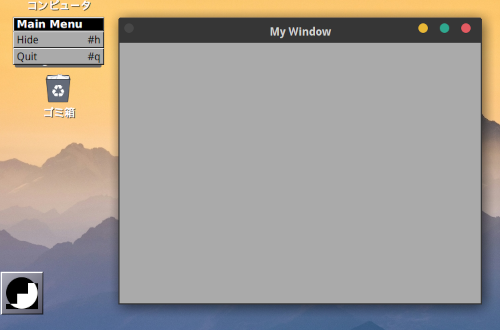
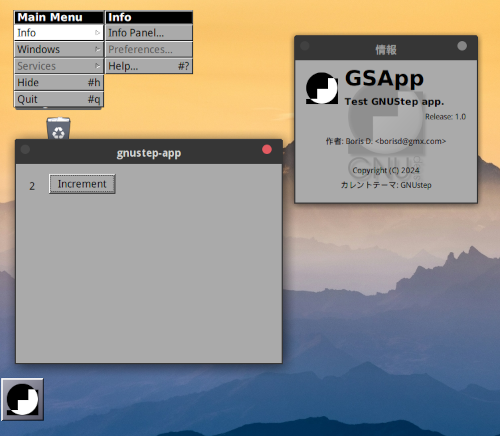
メニュー(Main Menu)は gormアプリで作成したもので、起動時に読み込んで
います。

ファイル構成

gnustep-app
/Resources
    MainMenu.gorm
    Info-gnustep.plist
dune
dune-project
appkit_global.ml
app_delegate.ml
main.ml
main_window.ml
model.ml(変更なし)


dune

(executable
 (name main)
 (flags -ccopt -L/usr/local/GNUstep/System/Library/Libraries  -cclib -lgnustep-gui)
 (libraries camlkit-base.foundation camlkit-gui.appkit camlkit.camlkit))

(subdir GSApp.app
 (rule
  (deps ../main.exe)
  (targets GSApp)
  (action (copy ../main.exe GSApp))))

(subdir GSApp.app/Resources
  (rule
    (deps ../../Resources/Info-gnustep.plist)
    (targets Info-gnustep.plist)
    (action (progn
      (copy ../../Resources/Info-gnustep.plist Info-gnustep.plist))))
)

(subdir GSApp.app/Resources/MainMenu.gorm
  (rule
    (deps ../../../Resources/MainMenu.gorm/objects.gorm ../../../Resources/MainMenu.gorm/data.classes ../../../Resources/MainMenu.gorm/data.info)
    (targets objects.gorm data.classes data.info)
    (action (progn
       (copy ../../../Resources/MainMenu.gorm/objects.gorm objects.gorm)
       (copy ../../../Resources/MainMenu.gorm/data.classes data.classes)
       (copy ../../../Resources/MainMenu.gorm/data.info data.info))))
)


app_delegate.ml

open Foundation
open Runtime
open Appkit

let app_name = "gnustep-app"
let class_name = "MyAppDelegate"

let on_before_start _ = ()

let on_started notification =
   let app = NSNotification.object_ notification in
   let win = Main_window.create app in
   win |> NSWindow.setTitle (new_string app_name);
   win
   |> NSWindow.cascadeTopLeftFromPoint (CGPoint.make ~x: 20. ~y: 650.)
   |> ignore;
   win |> NSWindow.makeKeyAndOrderFront nil
;;

let on_before_terminate _ = ()

let terminate_on_windows_closed _ = true


main.ml

(* gnustep-app *)
open Foundation
open Appkit
open Appkit_global
open Camlkit
open Runtime

module Delegate = Appkit_AppDelegate.Create (App_delegate)

let main () =
    let _ = _new_ NSAutoreleasePool._class_
    and app = NSApplication._class_ |> NSApplication.C.sharedApplication
    and argc = Array.length Sys.argv
    and argv =
       Sys.argv
       |> Array.to_list
       |> Objc.(CArray.of_list string)
       |> Objc.CArray.start
    in
    app |> NSApplication.setDelegate (_new_ Delegate._class_);
    app |> NSApplication.activateIgnoringOtherApps true;
     
    _NSApplicationMain argc argv |> exit

let () = main ()


main_window.ml

open Foundation
open Appkit
open Appkit_global
open Runtime

let increment_sel = selector "incrementClicked:"

let w = 400. and h = 300. 

let create _app =
   let label =
      alloc NSTextField._class_  
      |> NSTextField.initWithFrame (CGRect.make ~x: 20. ~y: (h -. 52.) ~width: 50. ~height: 30.)
   in
      let update_label () =
         let count = Model.get_count () |> string_of_int
         in
         label |> NSControl.setStringValue (new_string count)
      in
         let increment_count_method _self _cmd _sender =
            Model.increment ();
            update_label ()
         in
            let controller_class =
               Define._class_ "MyController"
                  ~methods:
                     [ Define._method_ increment_count_method
                        ~cmd: increment_sel ~args: Objc_t.[id] ~return: Objc_t.void
                     ]
            in
               let win =
                  alloc NSWindow._class_
                  |> NSWindow.initWithContentRect
                  (CGRect.make ~x: 0. ~y: 0. ~width: w ~height: h)
                     ~styleMask: (combine_options [
                        _NSWindowStyleMaskTitled; _NSWindowStyleMaskClosable
                     ])
                     ~backing: _NSBackingStoreBuffered
                     ~defer: false
               and controller = _new_ controller_class
               in
                  let btn =
                     alloc NSButton._class_
                     |> NSButton.initWithFrame (CGRect.make ~x: 50. ~y: (h -. 45.) ~width: 100. ~height: 30.)
                  in
                     (* NSButton title, target, action *)
                     btn |> NSButton.setTitle (new_string "Increment");
                     btn |> NSControl.setTarget controller;
                     btn |> NSControl.setAction increment_sel;
    
                     (* TextField settings*)
                     label |> NSTextField.setSelectable false;
                     label |> NSTextField.setBezeled false;
                     label |> NSTextField.setDrawsBackground false;
                     label |> NSControl.setStringValue (new_string "");
   
                     update_label ();
  
                     win |> NSWindow.contentView |> NSView.addSubview label;
                     win |> NSWindow.contentView |> NSView.addSubview btn;
                     win
;;

GNUstep用に変更してある。

実行
dune build
dune exec ./GSApp.app/GSApp

Camlkit GNUstep with Gorm

GNUstepでは、gormファイルを読み込んでアプリを起動することができますが、
Camlkitでも可能かトライしてみました。

[実行結果]

アプリの起動時に、gormファイル読み込んだところ。
gormファイルは、Gormアプリの [New Application] で生成したもの。

ファイル構成

gnustep-app
/Resources
    MyApp.gorm(上記のgormファイル)
    Info-gnustep.plist
dune
dune-project
appkit_global.ml
main.ml


Info-gnustep.plist(camlkit-exampleのplist を編集して使用)

{
    ApplicationDescription = "Test GNUStep app.";
    ApplicationName = GSApp;
    ApplicationRelease = "1.0";
    Authors = ( "Boris D. <borisd@gmx.com>" );
    FullVersionID = "1.0";
    GSMainMarkupFile = "";
    NSExecutable = GSApp;
    NSIcon = "";
    NSMainNibFile = "MyApp";
    NSMainStoryboardFile = "";
    NSPrincipalClass = NSApplication;
}

NSMainNibFileにMyAppを設定

dune

(executable
 (name main)
 (flags -ccopt -L/usr/local/GNUstep/System/Library/Libraries  -cclib -lgnustep-gui)
 (libraries camlkit-base.foundation camlkit-gui.appkit camlkit.camlkit))

(subdir GSApp.app
 (rule
  (deps ../main.exe)
  (targets GSApp)
  (action (copy ../main.exe GSApp))))

(subdir GSApp.app/Resources
  (rule
    (deps ../../Resources/Info-gnustep.plist)
    (targets Info-gnustep.plist)
    (action (progn
      (copy ../../Resources/Info-gnustep.plist Info-gnustep.plist))))
)
(subdir GSApp.app/Resources/MyApp.gorm
  (rule
    (deps ../../../Resources/MyApp.gorm/objects.gorm ../../../Resources/MyApp.gorm/data.classes ../../../Resources/MyApp.gorm/data.info)
    (targets objects.gorm data.classes data.info)
    (action (progn
       (copy ../../../Resources/MyApp.gorm/objects.gorm objects.gorm)
       (copy ../../../Resources/MyApp.gorm/data.classes data.classes)
       (copy ../../../Resources/MyApp.gorm/data.info data.info))))
)


dune-project
(lang dune 3.13)

appkit_global.ml

open Runtime
open Objc

let _NSWindowStyleMaskTitled = 1
let _NSWindowStyleMaskClosable = 2
let _NSBackingStoreBuffered = 2

let _NSApplicationMain = Foreign.foreign "NSApplicationMain" (int @-> (ptr string) @-> returning int)


main.ml

(* gnustep-app *)
open Foundation
open Appkit
open Appkit_global
open Runtime

let main () =
    let app = NSApplication._class_ |> NSApplication.C.sharedApplication
    and argc = Array.length Sys.argv
    and argv =
       Sys.argv
       |> Array.to_list
       |> Objc.(CArray.of_list string)
       |> Objc.CArray.start
    in
     app |> NSApplication.activateIgnoringOtherApps true;
     
    _NSApplicationMain argc argv |> exit

let () = main ()


実行
dune build
dune exec ./GSApp.app/GSApp

GSApp.appは、任意の場所に単独で取り出しても実行できる。

Camlkit GNUstep Example

前回に続き、camlkit-examplesを試してみました。
camlkit-examples
https://github.com/dboris/camlkit-examples

gnustep用のexampleとして、 c-gnustep-appがあります。これを試してみました。

[実行結果]

下記修正箇所があります。
1 dune file
Appkitライブラリの読込み設定
macOS用からGhostBSD用に変更
(flags :standard -ccopt "-framework AppKit")
 -> (flags -ccopt -L/usr/local/GNUstep/System/Library/Libraries -cclib -lgnustep-gui)

2 Appkit_globals モジュール
camlkitライブラリのAppkit_globalsモジュールには、GNUstepで定義されていない文が含まれています。このため実行時にエラーが起こります。
このモジュールの中から今回必要となるところだけ取り出して、Appkit_globalモジュール(appkit_global.ml)とします。これはmain.ml , app_delegate.mlで読み込まれます。

appkit_global.ml

open Runtime
open Objc

let _NSWindowStyleMaskTitled = 1
let _NSWindowStyleMaskClosable = 2
let _NSWindowStyleMaskResizable = 8
let _NSBackingStoreBuffered = 2

let _NSApplicationMain = Foreign.foreign "NSApplicationMain" (int @-> (ptr string) @-> returning int)


c-gnustep-app
dune(修正箇所1)
dune-project(そのまま)
app_delegate.ml(修正箇所2)
main.ml(修正箇所2)
Info-gnustep.plist(そのまま)
appkit_global.ml(追加、修正箇所2)

これで実行が可能となります。
ビルド
dune build
 dune file にある subdir を実行するには、buildが必要です。
 これでGSApp.appディレクトリが作成されます。
実行
dune exec ./main.exe or dune exe ./GSApp.app/GSApp